Fuck Around & Find Out - Linux Drivers Edition
2026-02-06
Set and Setting
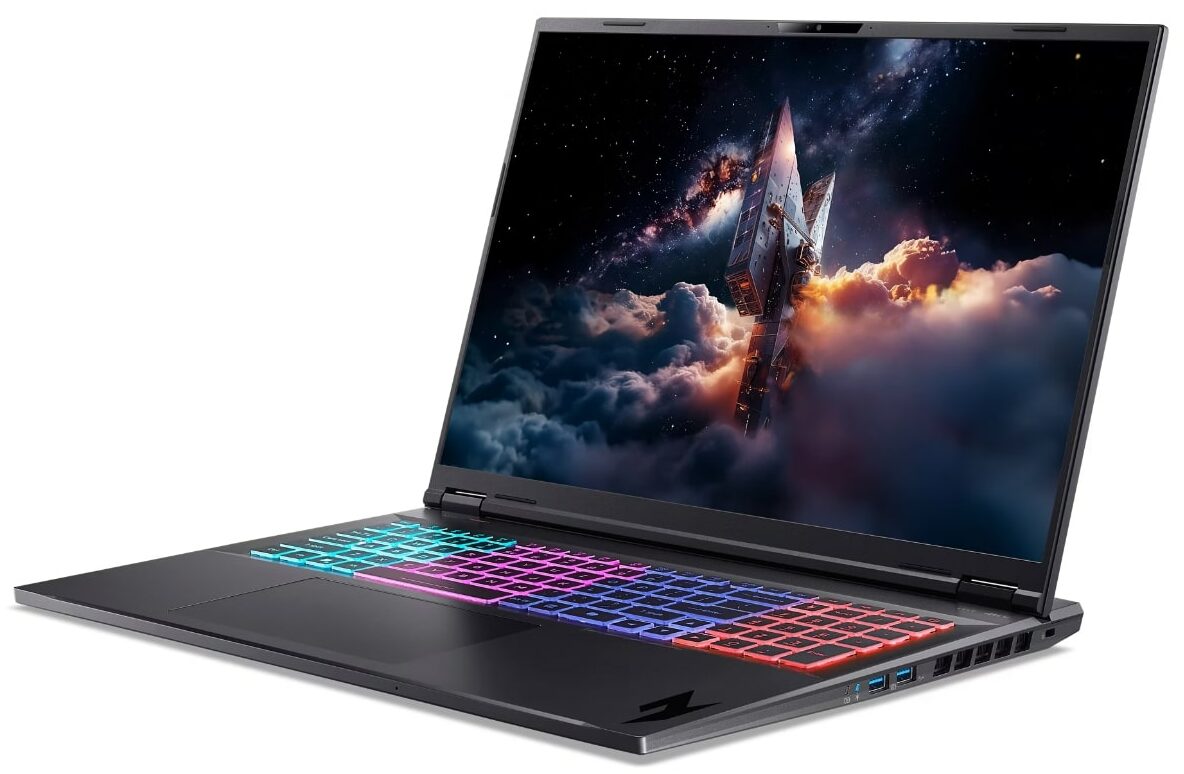
All my life I have either been unable to afford or unable to reason with having a powerful laptop. I’ve had old business machines, new business machines, pieced computers together from trash and only once in my entire life have I bought a brand new computer (a cheap E-series ThinkPad). Until now. For some stupid reason I’ve splurged on a gaming laptop and it’s been an uphill battle making it work like a ThinkPad that costs half as much.
The Problem
The Acer Nitro AN18-61 (2025) laptop has a four-zone keyboard with RGB which looks rather cool in Windows where it’s controlled by the awful NitroSense app from Acer. When it’s not directly controlled by OS-level software, it defaults to a rapid rainbow cycling effect which is hard to stomach. I don’t know why a serious fuck-off-sized laptop should look like a chinese toy having an epileptic seizure but alas. The goal was to find a way to set a static single-color backlight.
Device Identification
With the help of Claude code and some digging, the RGB controller was identified as:
- Device: ENEK5130 (VID: 0x0CF2, PID: 0x510)
- Interface: I2C HID (not USB)
- hidraw device:
/dev/hidraw4
The Acer keyboard itself is a separate device (VID: 0x1025, PID: 0x174B) on /dev/hidraw1.
Failed Approaches
1. Community Kernel Modules
Tried Linuwu-Sense and similar modules. They loaded but didn’t expose RGB controls for this model—the nitro_sense sysfs directory was empty.
2. Windows HID Capture
I spent a few minutes to find the eye-poking-ly obvious AcerLightingService process and then used API Monitor on Windows to capture commands from Acer Nitro Sense:
a0 00 a0 0a 00 02 02 00 00 00...
a0 00 a0 0a 00 01 02 01 00 19 00 1e...
These used Report ID 0xA0.
3. Replay on Linux
Attempted to send the captured 0xA0 commands via:
HIDIOCSFEATUREioctl to hidraw4- Raw writes to hidraw
- Direct I2C-HID protocol commands
None produced any effect At this point I ran out of tokens and called it a day.
4. HID Descriptor Mismatch
Linux’s HID descriptor for ENEK5130 only exposed reports 0xA1, 0xA2, 0xA3, 0xA4—no 0xA0. The Windows-captured commands were targeting a report ID that didn’t exist on Linux. I probed for the first three with no success - keep this in mind, it will be important later.
5. Embedded Controller Probing
Fired up Claude with a fresh usage quota, read EC registers at common keyboard backlight offsets. No correlation to RGB state was found.
6. WMI/ACPI Methods
The WMI (Windows Management Instrumentation) GUID 7A4DDFE7-5B5D-40B4-8595-4408E0CC7F56 exists but standard ACPI method calls returned AE_NOT_FOUND. At this point I was in too deep with no idea what any of these things meant (still can’t say I do completely).
The Solution
I gave up and it came to me :D
I decided to ask for support in the Linuwu-Sense repo. I opened an issue with a gazillion lines of logs, descriptors, addresses, values, anything I had I threw at them. They came back to me with a link to an open pull request on their side which would possibly solve my issue. And then a repo to some guy like me who had his AI agent dig up the proper address and instructions. Turns out I was this close to figuring it out.
The acer-lighting-daemon project, targeting similar Acer Predator/Nitro laptops, used Report ID 0xA4 with a different command format:
[0xA4, device_id, effect, brightness, speed, direction, R, G, B, zone, 0x00]Where:
device_id: 0x21 (keyboard), 0x83 (lid), 0x65 (button)effect: 0x02 (static), 0x04 (breathing), 0x07 (wave), etc.
Turns out I only didn’t check for the working ID (and people who know me will not be surprised)
GUI Tray Applet
Now that I had a working solution to this RGB vomit atrocity that Acer so lovingly put in a computer that’s meant to be taken seriosly, I needed a convenient way to change colors without writing long commands. I created a Python GTK system tray applet and it was surprisingly easy.
Key Features
- System tray icon for quick access
- Color presets: Red, Green, Blue, White, Cyan, Magenta, Yellow, Orange
- Custom color picker dialog for any RGB value
- Effect selection: Static, Breathing, Neon, Wave, Ripple, Zoom, Snake, Disco (Srsly??), Shifting
- Automatic state persistence (handled by daemon)
- Settings survive reboots
Architecture
- The applet runs as a regular user
- Communicates with the root daemon via Unix socket (
/run/acer-rgbd.sock) - Daemon handles HID device access and state persistence
- State saved to
/var/lib/acer-rgbd/state.txt
You can check it out in my self-hosted Gitea instance
What I Learned
The Windows HID capture was misleading. Either Windows exposes the device differently, or the Acer driver performs internal translation. Well, I learned what HID is at all, WMI, ACPI, various device protocols and management systems etc. That was fun. I learned how drivers work and what they actually do, how they address the hardware and how they fit into the system (Linux). I learned how kernel modules work and I learned that I couldn’t write one for the life of me.
Aside from that, I got a brief tutorial on looking deep into software-device communication exploring with various windows utilities which I am 100% certain I will never ever use again.
Best of all, I learned I can make my system tray look like the carnival in Rio with all the bullshit I can system-tray-applet-ize now. Hurray for customization.
Resources
- acer-lighting-daemon - Original userspace tool (upstream)
- Linuwu-Sense - Kernel module (may add support later)
- Linuwu-Sense PR #65 - Discussion on newer models